A deep dive into simulation frameworks for robotics
A major decision in robotics simulation is the choice of framework and physics engine. In this post, we survey the current landscape of simulation engines, present their core elements, and discuss implementation details that shape our empirical head-to-head comparison.
Simulation is a core layer of the embodied-AI stack, and a wide range of open and freely available options has emerged. But how do you choose between simulation frameworks and engines? We dive deep into this question and explore the current capabilities and limitations of physics simulation along the way.
We do not attempt to find an overall best engine. In practice, the choice of framework and engine depends on many factors, including compatibility with existing workflows and assets, speed, accuracy for the intended use case, and the effort needed to adapt the engine to a given task. In the first part of this post, we give an overview of the landscape of simulation frameworks and engines in 2026 and highlight the key considerations and technical differences. For opinionated recommendations on which engine to choose, see related posts. In an optional primer, we present the core components of physics engines and robotics simulation.
In the second part of this post, we provide additional details for our head-to-head comparison: we look at implementation details, such as how the engines handle asset imports, simple contact forces, and the coupling between rigid bodies and deformable objects. We collect the lessons in a short porting checklist. All engines are very capable and can simulate behavior accurately, but they often require significant effort and fine-tuning to produce plausible results. This remains a significant barrier to entry. As a community, we should work towards making robotic simulation more accessible and reliable by documenting and synchronizing key parameters and design choices.
This post accompanies our series on simulation engines for robotics.
- Background: An overview of simulation frameworks for robotics
- Where physics engines agree and differ
- (Coming soon) Cross-engine policy transfer
- (Coming soon) Sim-to-real transfer
1. High-level overview
Choosing a simulation framework for robotics
We start with a high-level overview of frameworks and physics engines. Specifically, we highlight key features and differences between open-source libraries.
"Simulator" and "physics engine" are often used interchangeably, but they are different layers. A simulator or framework, such as Isaac Lab or Gazebo, is the package you work with: it loads robots and scenes, runs tasks and renders images. The physics engine inside it computes how things move and collide, and many frameworks can swap engines. The renderer produces camera images and is separate from the physics, which is why a scene can look realistic and still behave unrealistically.
Simulator / frameworkIsaac Lab · Genesis World · Gazebo · MuJoCo Playground
- Collision detection
- Contact model
- Constraint solver
- Integrator
Optional primer: inside the physics engineTimestep, collision, contact, solver and actuation, for readers new to physics engines
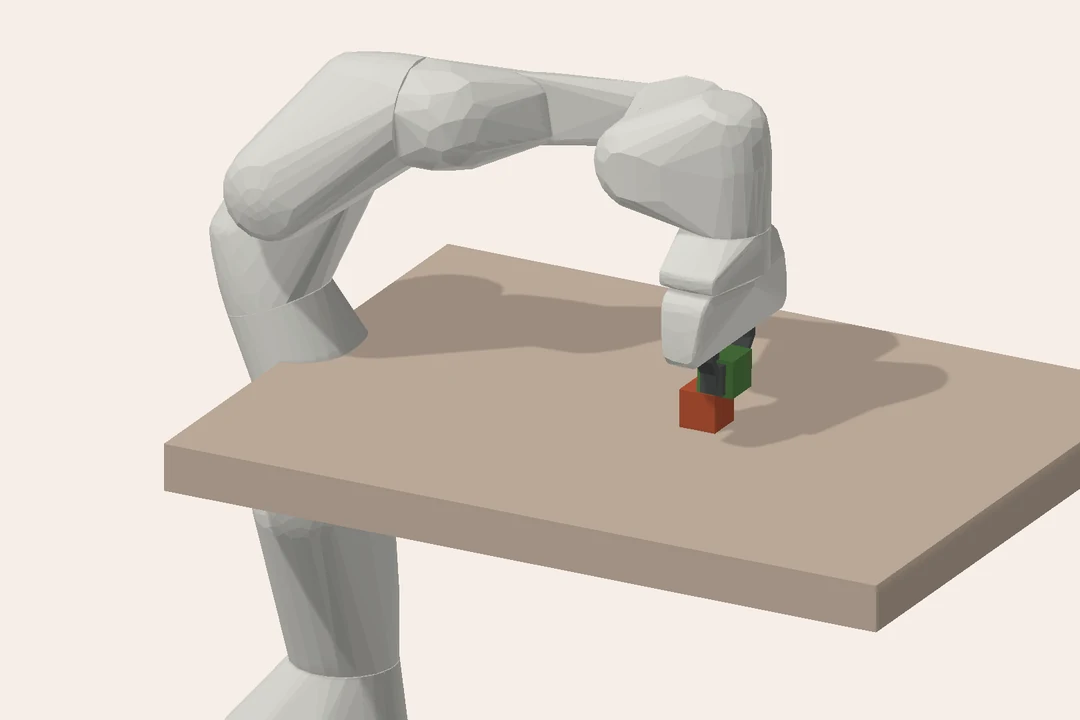
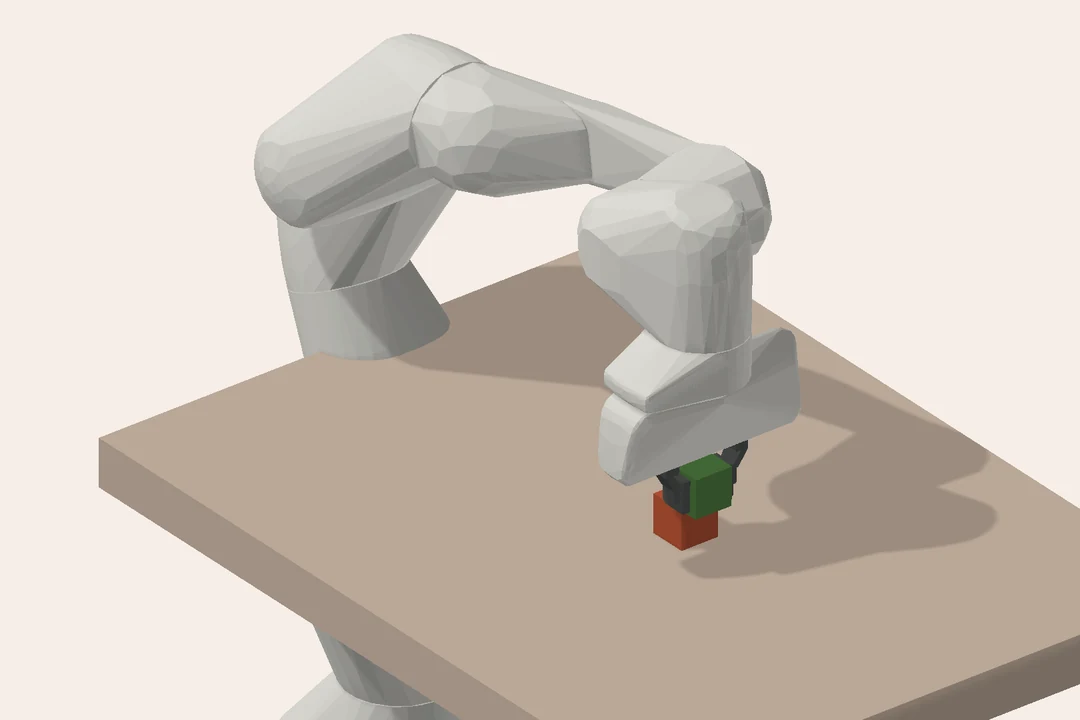
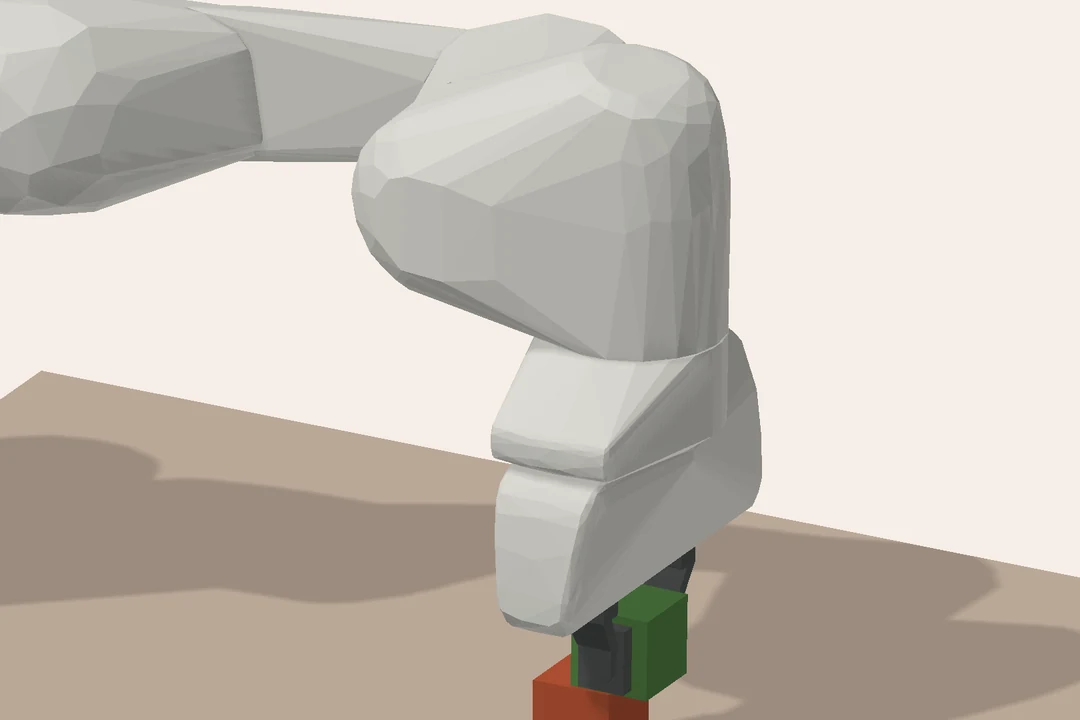
Every timestep, a physics engine runs the same loop: find which shapes touch, turn each touch into a contact with a force law, solve for all contact and joint forces together, then advance positions and velocities. The frame below, from our stacking experiment, shows where each part acts.
 Collision geometry
Contacts
Joint
Joint torque
Collision geometry
Contacts
Joint
Joint torque
- 1Collision detection
- 2Contact model
- 3Constraint solver
- 4Integrator: advance by Δt
The simulation loop: timestep, decimation and integrator
- Timestep
- How much simulated time passes per physics step. Halving it roughly doubles the cost. In our sliding-block control, halving the timestep moved the cube more than switching engines did.
- Substeps and decimation
- Physics usually runs faster than the controller, for example physics at 500 Hz and control at 50 Hz (a decimation of 10). The ratio matters because the command is held constant between control updates. Our explicit controller runs at 1 kHz, that is, at every step of the usual 1 ms timestep.
- Integrator
- The numerical method that advances the state: explicit or semi-implicit Euler, Runge–Kutta (RK4) or implicit schemes. It largely determines stability and energy drift. Most robotics engines default to semi-implicit Euler; MuJoCo also offers RK4 and implicit variants.
The math: one step of semi-implicit Euler
With generalized coordinates q, velocities v, mass matrix M, bias forces c (gravity, Coriolis) and constraint forces f acting through the Jacobian J, the equations of motion and one step of size h are:
The new velocity, not the old one, updates the position; that small change is what makes the scheme far more stable than explicit Euler. The contact forces f are what the rest of this section is about: they are computed inside the step, so that the new velocity respects every contact. With decimation N, the controller's torque τ is held constant for N such steps.
Representing robots and scenes: formats and coordinates
- Model formats
- URDF, MJCF (MuJoCo), USD (Isaac Sim) and SDF (Gazebo) describe robots and scenes, but they cannot all express the same things. URDF, for example, only describes tree-shaped robots and has no fields for contact parameters, tendons or MuJoCo's actuator models, so a converter has to drop such settings or replace them with defaults. Importers also fill unspecified values with their own defaults. An imported default changed our first hinge result.
- Articulation
- A chain of bodies connected by joints, such as a robot arm.
- Generalized vs. maximal coordinates
- Reduced-coordinate engines describe an articulation by its joint angles, so joints hold exactly by construction. MuJoCo, Drake, Genesis's rigid solver and PhysX articulations work this way. Maximal-coordinate solvers, such as Newton's XPBD, simulate each link as a free body held in place by joint constraints, which can drift or stretch slightly. All four setups in this study simulate the Panda in reduced coordinates.
Collision: which shapes touch, and where
What you see
What collides
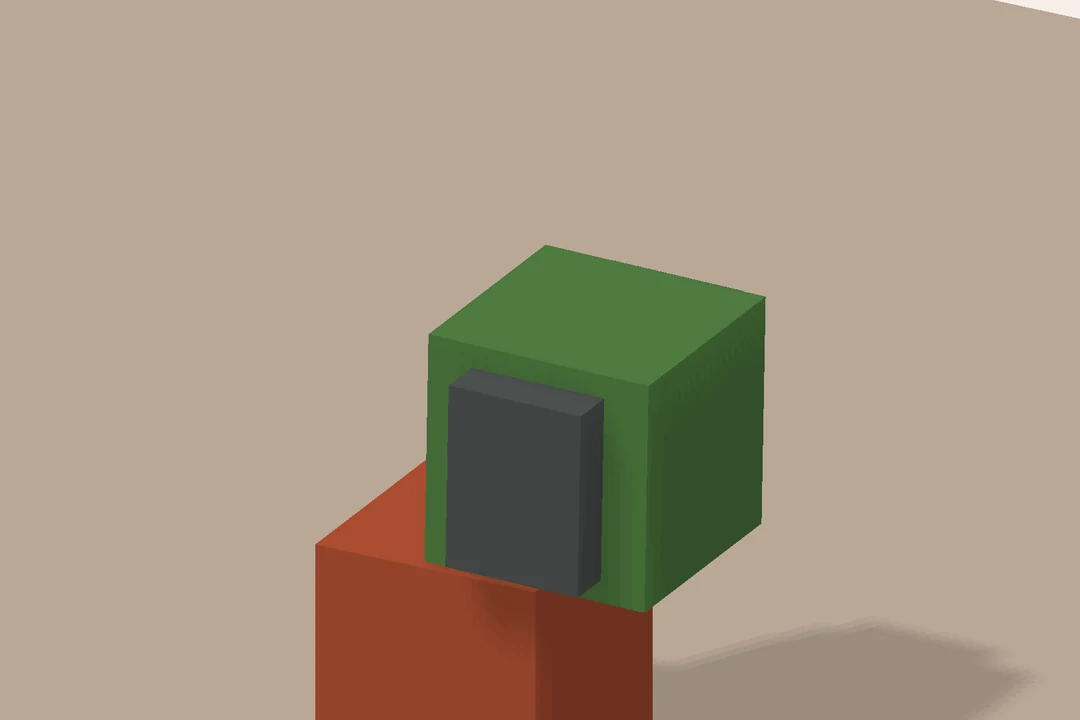
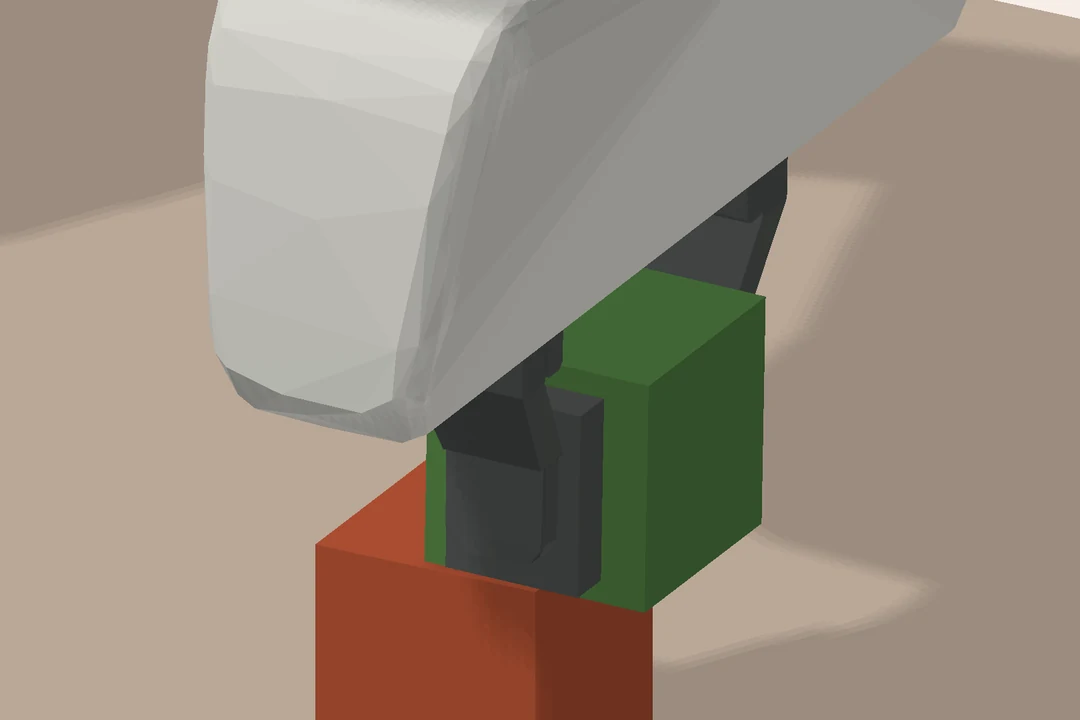
- Visual vs. collision geometry
- What you see is often not what collides. Collision shapes are simplified for speed and robustness. In our robot tests, only matched box-shaped finger pads collide.
- Primitives, convex hulls and convex decomposition
- Boxes, spheres and capsules collide cheaply and robustly. Arbitrary meshes are approximated: MuJoCo replaces a mesh collider with its convex hull, and concave objects such as mugs are split into convex pieces. Each engine and importer does this differently.
- Broad phase and narrow phase
- The engine first finds pairs of objects that might touch, then computes exact contact points for those pairs. This is one reason cost grows with scene complexity.
- Penetration and margin
- Most engines allow slight interpenetration and generate contacts slightly before surfaces touch.
How much they allow is engine-specific: MuJoCo uses a
margin, PhysX uses contact and rest offsets.
Contact and friction: where engines differ most
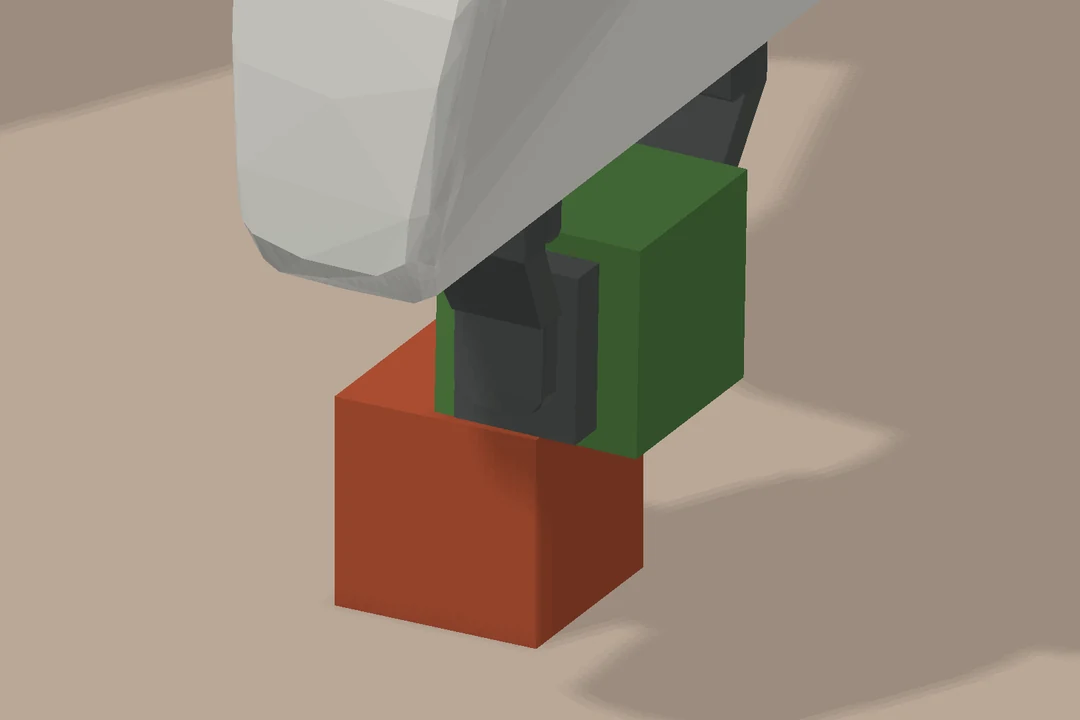
- Contact model
- Hard contact treats objects as rigid and enforces non-penetration as a constraint; PhysX works this way. Soft or compliant contact allows small, spring-like penetration; MuJoCo's convex soft-contact formulation is the prime example, and Genesis's rigid solver follows a similar approach. Penalty methods push bodies apart with a force proportional to penetration. The drop test shows the difference directly.
- Friction model
- Coulomb friction limits the tangential force to µ times the normal force, which defines a friction cone. Engines often approximate the cone as a pyramid for speed; MuJoCo's default is pyramidal, and our runs request the elliptic cone. Some engines also model torsional and rolling friction; we disable both.
- Restitution
- Bounciness. PhysX takes a restitution coefficient, which we set to zero. Soft-contact engines have no direct equivalent: rebound emerges from contact stiffness and damping.
- Contact stiffness and damping
- Engine-specific parameters such as MuJoCo's
solrefandsolimpor PhysX's contact offsets. These are often the hidden knobs behind differences in grasping. Our contact-settings table lists the values we use.
The math: hard contact and the friction cone
For one contact with gap φ(q), normal force fn and tangential force ft, hard contact and Coulomb friction read:
The first condition is a complementarity condition: either there is a gap and no force, or the bodies touch and push, never both. The second defines the friction cone. A pyramidal cone replaces the circle ‖ft‖ ≤ μfn with a polygon, which is cheaper to solve but makes friction depend on direction. Soft contact relaxes the first condition and lets φ become slightly negative while the bodies push apart; section 3 shows exactly how MuJoCo does this.
The constraint solver
- Constraint solver
- Computes contact and joint forces that satisfy all constraints simultaneously: no penetration, friction within its cone, joints holding together.
- Iterative vs. direct solvers
- Direct solvers solve the full system at once but scale poorly. Robotics engines mostly iterate: PhysX offers projected and temporal Gauss–Seidel (PGS and TGS); MuJoCo offers PGS, conjugate gradient (CG) and Newton's method. More iterations cost more time; too few cause jitter and sinking.
- Convergence and tolerance
- The criterion for when the solver stops iterating. We use 100 iterations and tight tolerances in every engine so that the solver is not the limiting factor.
The math: what the solver solves
Stacking all contact and joint constraints, the constraint-space inverse inertia (the Delassus matrix) is
A hard-contact solver looks for impulses λ ≥ 0 with resulting velocities w = Aλ + b ≥ 0 and λTw = 0, a linear complementarity problem (LCP). Gauss–Seidel methods such as PGS and TGS sweep through the constraints and update one at a time:
A convex solver instead adds a regularizer R and minimizes one quadratic over the cone 𝒦, which always has a unique solution and suits Newton's method:
Actuation: from commands to joint torques
- Actuator models
- Joints can be driven by torque, position or velocity commands. Built-in position control usually applies a PD (proportional–derivative) law: a torque proportional to the position error, scaled by the stiffness or P gain, plus a torque against the velocity, scaled by the damping or D gain. This law is not the same in every engine: stiffness, damping and integration differ. That is why we compute torques with one shared explicit controller.
- PD gains, joint damping, armature and friction loss
- Small parameters with a large effect on how an arm tracks commands. Armature adds rotational inertia to a joint; friction loss adds dry joint friction.
- Gripper modelling
- Fingers are often coupled through mimic joints, tendons or equality constraints, which importers translate differently. Many sim-to-sim discrepancies start here. Our grasp tests use two independently actuated fingers with matched pads.
Couplers and deformable objects
- Coupler
- The component that makes separate solvers interact, for example a rigid robot with cloth, fluids or a soft object. Classic rigid-body engines have no such concept; newer frameworks such as Genesis and Newton make it explicit. In our deformable experiments, Genesis couples its soft ball to the rigid robot with its SAP coupler, and our Newton setup steps MuJoCo-Warp for the robot and VBD for the ball, exchanging forces with a one-step lag. MuJoCo and PhysX simulate the ball within the same engine as the robot.
- Deformable solvers
- Soft objects are usually represented by a volume mesh of tetrahedra and simulated with the finite element method (FEM) or related schemes such as VBD. Material parameters such as Young's modulus set the stiffness. A tetrahedron that turns inside out ("inverts") marks an invalid state; we use this as the validity check in the comparison's deformable experiments.
Speed and quality: the metrics used in our results
- Real-time factor and throughput
- The real-time factor compares simulated time with wall-clock time; 2× means two simulated seconds per second. Throughput counts steps per second across many parallel environments. GPU engines trade single-scene speed for throughput, as the runtime comparison shows.
- Vectorized or parallel environments
- Many copies of a scene stepped together, usually on the GPU. This is the basis of large-scale reinforcement learning.
- Determinism
- Whether identical inputs give identical outputs. Parallel GPU execution can change the order of floating-point operations, so some GPU setups vary between runs, as in our crowded sweep.
- Stability failures
- Jitter (small persistent vibration), drift (slow error build-up), tunnelling (objects passing through each other) and explosions (bodies flying apart after a numerical blow-up).
The simulation landscape
We can choose from many different simulators and frameworks that specifically target robotics. The following map provides an overview. We selected four setups for in-depth comparison: PhysX via Isaac Sim, Newton (MuJoCo-Warp), MuJoCo CPU and Genesis.
Environments & simulators
-
 Playground
-
 Isaac Lab
- Isaac Sim→PhysX CPU (rigid) / GPU (deformable)
- Also supports Newton ↓
-
 World
World
-
 Sim
Sim
- Gazebo Physics→DART (default) / Bullet
Direct physics APIs
-
- Native C engine→CPU
-
 Newton · on
Warp
Newton · on
Warp
- RigidMuJoCo Warp→GPU
- Deformable+ VBD coupling · experimental
- MechanismsKamino · experimental
- ArticulationsFeatherstone
- MixedXPBD · SemiImplicit
- GranularImplicitMPM
- ClothStyle3D
-

- Multibody dynamics · planning & control
Comparing frameworks and engines
We cover simulation frameworks and physics engines separately. A framework is what you build tasks in: it loads assets, renders sensors, runs many environments in parallel and connects to training code. A physics engine computes the motion; frameworks run on top of one or more engines. The first table covers the frameworks in the top row of the map.
| Framework | Focus | Physics engines | Runs on | Asset formats | Rendering and sensors | Interface and learning | License |
|---|---|---|---|---|---|---|---|
| MuJoCo PlaygroundGoogle DeepMind | Ready-made GPU environments for RL and sim-to-real: DM Control Suite, quadruped and biped locomotion, manipulation | MuJoCo through MJX (JAX) or MuJoCo Warp | Accelerators supported by JAX; MuJoCo Warp needs an NVIDIA GPU | MJCF | MuJoCo Warp batch renderer for pixel-based tasks | Python (JAX); PPO training with Brax (JAX) or RSL-RL (PyTorch) | Apache 2.0 |
| Isaac LabNVIDIA | Large-scale robot learning (RL, imitation learning) across many robots and tasks; built on Isaac Sim | PhysX (reference); Newton (beta); OvPhysX (experimental) | NVIDIA GPU; Linux, Windows | USD native; URDF and MJCF importers | RTX rendering through Isaac Sim; tiled cameras for many environments; ray casters, contact sensors, IMU | Python; wrappers for RSL-RL, rl_games, skrl, Stable-Baselines3 | BSD-3; Isaac Sim is Apache 2.0 with proprietary Omniverse and RTX parts |
| Genesis WorldGenesis AI | Multi-physics for robotics and embodied AI: rigid robots with soft objects, fluids and granular media in one scene | Built-in Genesis solvers (see engines below) | CPU, NVIDIA, AMD and Apple GPUs | URDF, MJCF, USD; OBJ and GLB meshes | Rasterizer, LuisaRender ray tracer, batch renderer; in-house Nyx renderer; IMU, contact and force sensors | Python; RL examples with RSL-RL | Apache 2.0 |
| Gazebo SimOpen Robotics and community | Sensor-rich simulation of mobile and field robots, closely tied to ROS 2 | DART (default), Bullet or Bullet Featherstone through Gazebo Physics plugins | CPU; Ubuntu, macOS, Windows (known issues) | SDFormat; URDF (converted to SDFormat) | OGRE 2; cameras, lidar, IMU, GPS, force-torque, with noise models | C++ and Python; ROS 2 through the ros_gz bridge | Apache 2.0 |
The second table covers the engines: those you can call directly, from the bottom row of the map, and those the frameworks above run on. Our four setups use MuJoCo, MuJoCo Warp (through Newton), PhysX and Genesis. In the table, generalized coordinates describe a robot by its joint angles, so its joints hold exactly by construction; maximal coordinates simulate each link as a free body held in place by joint constraints. Newton's method is a second-order optimization algorithm, unrelated to the Newton framework. The optional primer on physics engines explains contact models and solvers in more detail.
| Engine | Robot coordinates | Contact model | Solver | Runs on | Gradients | Model input | License |
|---|---|---|---|---|---|---|---|
| MuJoCoGoogle DeepMind · C, Python, C#, JavaScript | Generalized | Soft: convex optimization; penetration set by solref/solimp |
Newton's method (default), conjugate gradient (CG) or projected Gauss–Seidel (PGS) | CPU, float64 | Finite differences | MJCF native; URDF; OpenUSD (experimental) | Apache 2.0 |
| MJXGoogle DeepMind · Python (JAX) | Generalized | Same model as MuJoCo; mesh collisions scale poorly with mesh size | CG or Newton's method | GPUs (NVIDIA, AMD), Apple silicon, TPUs via XLA | Yes (JAX autodiff) | MJCF, through MuJoCo | Apache 2.0 |
| MuJoCo WarpGoogle DeepMind and NVIDIA · Python (Warp) | Generalized | Same model as MuJoCo | Newton's method or CG; no PGS | NVIDIA GPU; CPU for debugging | No | MJCF, through MuJoCo | Apache 2.0 |
| PhysXNVIDIA · C++; used through Isaac Sim | Generalized for articulations; maximal for free bodies | Hard (non-penetration); contact and rest offsets | Temporal or projected Gauss–Seidel (TGS or PGS) | CPU or NVIDIA GPU | No | No robot format of its own; USD scenes through Isaac Sim | BSD-3, including GPU code since 5.6 |
| NewtonLinux Foundation project (Disney Research, Google DeepMind, NVIDIA) · Python (Warp) | Per solver: generalized (MuJoCo Warp, Featherstone) or maximal (XPBD, VBD, semi-implicit, Kamino) | Per solver | Pluggable: MuJoCo Warp, Featherstone, XPBD, VBD, semi-implicit, Kamino, implicit MPM, Style3D | NVIDIA GPU; CPU, including macOS | Basic: Featherstone and semi-implicit solvers | USD, MJCF, URDF | Apache 2.0 |
| GenesisGenesis AI · Python; only inside Genesis World | Generalized (rigid solver) | Rigid solver: soft, similar to MuJoCo; explicit, SAP or IPC couplers for deformables | One solver per material: rigid, FEM, MPM, SPH, PBD, stable fluids | CPU, NVIDIA, AMD and Apple GPUs | Partial (MPM solver) | URDF, MJCF, USD; meshes | Apache 2.0 |
| DARTOpen-source community (originally Georgia Tech) · C++, Python | Generalized (Featherstone) | Hard: LCP; FCL collision by default | Dantzig or PGS LCP solver | CPU | No | URDF, SDFormat, SKEL; MJCF (experimental) | BSD-2 |
| BulletBullet community · C++, Python (PyBullet) | Maximal rigid bodies or Featherstone multibodies | Hard: constraint-based (LCP) | Sequential impulse (PGS) or MLCP solvers | CPU; experimental OpenCL GPU | No | URDF, SDFormat, MJCF (through PyBullet) | zlib |
| DrakeToyota Research Institute (from MIT) · C++, Python | Generalized (MultibodyPlant); FEM deformables | Compliant: point or hydroelastic | TAMSI or SAP-based (discrete); error-controlled integrators (continuous) | CPU, float64 | Yes (automatic differentiation scalar type) | URDF, SDFormat, MJCF (basic), YAML model directives | BSD-3 |
Choosing a simulator: Which engine is fastest depends on the workload. In our runtime test (a contact-free Panda, 1 ms steps, no rendering), MuJoCo on the CPU runs about 167,000 steps per second for a single world, against roughly 5,700 for MuJoCo-Warp and 1,900 for Genesis on the GPU: one small world cannot fill a GPU. With 8,192 parallel worlds, MuJoCo-Warp reaches 21.6 million and Genesis 11.8 million aggregate steps per second; PhysX was not batch-tested. This favors developing and debugging a scene on the CPU and training on the GPU, which only works if the scene behaves the same in both engines. The rest of this post looks at where it does not.
2. The four setups
How the four setups in our comparison differ
The four setups are four implementations, not four independent physical models. The decisions that matter for our experiments are how each engine represents the robot, how it resolves contact, where it runs, and how it attaches a soft object to a rigid robot.
| Setup | Robot dynamics | Rigid contact | Solver and execution | Soft ball |
|---|---|---|---|---|
| MuJoCo CPU | Generalized (joint) coordinates | Soft: convex optimization; small penetration set by solref/solimp |
Newton's method; CPU, float64 | One solver: flex elements inside the same constraint solver |
| Newton (MuJoCo-Warp) | Same as MuJoCo | Same formulation as MuJoCo | Newton's method; GPU, float32 | Newton setup: two solvers, MuJoCo-Warp robot and VBD ball, coupled with a one-step lag. A separate native MuJoCo-Warp setup uses flex, as in MuJoCo. |
| Genesis | Generalized coordinates; separate implementation | Soft, MuJoCo-style constraints | Newton's method; GPU, float64 | Two solvers: rigid and FEM, joined by the SAP coupler |
| PhysX (Isaac Sim) | Reduced-coordinate articulation | Hard: rigid constraints, contact and rest offsets, restitution | Temporal Gauss–Seidel (TGS); CPU, float32 | One engine: native FEM deformable body on the GPU |
Soft-contact vs hard-contact implementations: MuJoCo solves contact as a
convex optimization in which constraints are soft: a contact may penetrate slightly, and
solref/solimp set how strongly it pushes back
(MuJoCo computation docs).
MuJoCo-Warp, developed by Google DeepMind and
NVIDIA, reimplements the same formulation on the GPU in single precision. In our rigid experiments,
Newton serves as the
frontend: it imports the MJCF and steps MuJoCo-Warp, so its other solvers play no part. Genesis's rigid
solver is a separate implementation, but it also works in generalized coordinates with MuJoCo-style soft
constraints (Genesis
constraint model). PhysX instead treats contacts as rigid constraints. Its temporal Gauss–Seidel (TGS)
solver substeps once per
position iteration (PhysX
solver docs), so our 100 position iterations split every 1 ms step into 100 substeps. That may help
explain why PhysX is the least timestep-sensitive engine in our pushing control. PhysX also offers
compliant contacts, configured through a negative restitution that acts as a spring stiffness; with our
restitution of zero, contacts stay rigid. Close agreement among the first
three engines is therefore expected, and PhysX is the most independent comparison.
All four simulate the Panda in reduced coordinates: PhysX does this through articulations; the other three are built on joint coordinates. Free-space differences therefore come from numerics and import details rather than joint drift. Built-in drives do differ: PhysX, for example, solves its joint drives implicitly inside the constraint solver. We therefore apply one explicit torque controller everywhere. That removes one difference, but not the sensitivity to the controller itself. With our original gains, all four engines keep the hand within about 6 mm of its reference height during a successful push. With half the proportional gain, the same pushes still succeed, but the deviation ranges from under 1 mm in Genesis to 28 mm in Newton / MuJoCo-Warp (controller comparison). Most learning pipelines command the native drives instead, so their portability needs a test of its own; the next post in this series takes this up.
Precision and hardware shape repeatability: MuJoCo CPU runs in double precision and repeats exactly in our tests. MuJoCo-Warp runs in single precision on the GPU, and its documentation warns that results can differ slightly between executions; we observe exactly that in the collision chain and the crowded sweep. Genesis runs on the GPU in double precision, which its soft-body coupler also requires. Our rigid PhysX runs use the CPU pipeline in single precision. Precision alone does not decide repeatability. In the crowded sweep, three fresh processes with identical inputs collect 11, 8 and 7 of 15 objects in Newton, and 10, 8 and 8 in Genesis despite double precision, while MuJoCo CPU and PhysX repeat their trajectories exactly. That spread within one engine overlaps the differences between engines, so we repeat GPU runs before comparing them. Batching itself is not the cause: in the contact-free runtime test, batched trajectories match their single-world runs exactly.
Deformable objects are handled differently: In MuJoCo and MuJoCo-Warp, the ball is a flex object inside the same solver as the robot, so no coupler is involved. PhysX also handles it within one engine, using a GPU finite-element (FEM) deformable body that interacts natively with rigid bodies. Genesis and Newton combine separate solvers. Genesis joins its rigid solver to an implicit FEM solver through the SAP coupler, a convex contact solver derived from Drake's that requires 64-bit precision. Our Newton setup steps MuJoCo-Warp for the robot and Vertex Block Descent (VBD) for the ball, exchanging forces through Newton's experimental proxy coupling, in which feedback arrives one step later. These architectural differences matter more for the soft-ball results than nominal material parameters do; section 4 follows them into the source code.
Contact settings: shared coefficients do not imply equivalent contact laws
| Setup | Contact response | Solver / precision |
|---|---|---|
| MuJoCo CPU | MJCF solref = (0.01, 1); solimp = (0.99, 0.999, 0.001, 0.5, 2); condim = 3; scene-specific sliding friction µ, torsional and rolling friction 0. | Newton's method, elliptic cone, 100 iterations, tolerance 10⁻¹⁰; float64. |
| Newton / MuJoCo-Warp | Same authored MJCF contact parameters; native MuJoCo contacts. Imported effective parameters are retained in the traces. | Newton's method, elliptic cone, 100 iterations, tolerance 10⁻¹⁰; float32. |
| Genesis rigid | Scene-specific nominal friction µ; constraint time constant
0.01 s; Genesis default solimp = (0.9, 0.95, 0.001, 0.5, 2), which differs from the MuJoCo setups;
resolved 1.4.1 defaults impratio = 100 and Signorini friction resolution
(see the contact deep dive); rolling and torsional friction
disabled. |
Elliptic cone, 100 iterations, tolerance 10⁻¹⁰; float64 GPU. |
| PhysX CPU | Static/dynamic friction µ; restitution 0; authored contact offset 1 mm and rest offset 0 on the tested bodies. The simple sliding fixture leaves the plane envelope to its native default. | TGS, 100 position / 1 velocity iterations; no soft-contact solref/solimp equivalent. |
The 0.01 s time constant is a contact-response parameter, not the integration timestep. PhysX contact offsets determine contact generation and are not equivalent to soft-contact compliance. These experiments compare declared configurations, not equally calibrated materials. A full native collision-margin and effective-impedance audit remains incomplete. See the rigid robot contact audit and collision-chain settings.
Porting one scene to four engines
We share a physical specification, not a single scene file that runs unchanged everywhere.
| Engine | Scene construction | Contact-force recording |
|---|---|---|
| PhysX / Isaac Sim | Explicit USD bodies, joints and analytic colliders reconstructed from the shared model; CPU TGS. | Normal and friction impulses converted to step-average forces using the physics timestep. |
| MuJoCo CPU | Direct MJCF loading, with explicit contact parameters; float64. | Native contact-frame forces rotated into world coordinates. |
| Newton / MuJoCo-Warp | The same MJCF imported through Newton, using its MuJoCo solver and native MuJoCo-Warp contacts on the GPU; float32. | Native GPU contact forces, with imported geometry IDs mapped back to the shared body names. |
| Genesis | Robot and blocks imported as separate MJCF entities; table and walls authored as native primitives. Native GPU rigid-body solver; float64. | Per-entity contact forces, with shared contacts deduplicated. |
Dealing with engine defaults: An imported nonzero joint armature—additional joint inertia—initially changed the Genesis hinge motion. In the pushing scene, its native wall primitives needed explicit collision masks to exclude the same robot–wall pairs as the other engines. Newton adds suffixes to geometry names. This initially caused our recorder to assign wall forces to the table. The physics was unaffected, but the force attribution was wrong. We corrected these issues and retained the diagnostic runs.
Matching assets and imports: We use the same explicit controller and frozen reference motion in all four engines instead of their native position drives. Contact regularization, numerical precision and solver execution remain engine-specific. Our recordings also pair pre-step poses with forces from the following step, while Genesis exposes contacts after stepping. Implementation audit and retained diagnostics.
Reading contact forces: The right-hand column above shows that “contact force” is not one quantity across engines: PhysX reports impulses that we convert to step averages, MuJoCo reports forces in each contact frame, and Genesis reports them per entity. For rigid contact, a per-step momentum-balance check confirms that our recorded forces match the recorded motion. The soft-ball readbacks were harder to trust: PhysX's rigid-contact probe returned zero despite visible deformation, and Newton's coupling force peaked at 34.4 N in the 2 N grasp but at 2.56 N with half the timestep, while the lift barely changed (deformable results). We therefore validate a force readback before reporting it.
3. Contact deep dive
How the four engines resolve a contact
Almost every experiment in our comparison is a contact experiment, so we read the source code of the versions we ran to see how each engine turns two touching shapes into forces. Two of our setups, MuJoCo CPU and Newton, run the same MuJoCo contact code, once in C and once ported to the GPU; Genesis reimplements the same contact law with different defaults; PhysX follows a different philosophy altogether. All four run the same four stages each step: find contact points, attach a contact law to each, solve for all forces together, then integrate.
| Engine | Contact points | Contact law | Friction | Solve |
|---|---|---|---|---|
| MuJoCo CPU | Analytic pairs (box on plane: up to the four lowest corners); general convex pairs by GJK/EPA | Soft: spring–damper reference acceleration from solref (0.01, 1) and
solimp (0.99, 0.999, …)
|
Elliptic cone inside the same convex program; impratio 1 |
One convex problem for all rows, Newton's method; float64 |
| Newton / MuJoCo Warp | MuJoCo Warp's own collision kernels (Newton's use_mujoco_contacts=True) |
Same law, ported line for line | Same as MuJoCo | Same Newton's-method solver on the GPU; float32 |
| Genesis | Own collider; analytic box on plane, otherwise MPR/GJK with multi-contact | Same law; Genesis default solimp (0.9, 0.95, …) and our time constant 0.01 s |
Elliptic cone with Signorini resolution and impratio 100 (1.4.1 defaults) |
Newton's method; float64 on the GPU |
| PhysX | Persistent contact manifold for shapes within their contact offsets (1 mm on our bodies); rest offset 0 | Hard: non-negative impulses with a position-error bias, no spring | Patch friction at up to two anchors, clamped to a circle, static and dynamic µ | TGS: 100 substeps of 10 µs, Gauss–Seidel one contact at a time; float32 CPU |
We pinned every excerpt below to the release commit of the version we ran, except PhysX: Isaac Sim 6.1 ships PhysX extensions 110.3, while the newest public PhysX source is 5.9.0 (extensions 110.1), so details may differ slightly from the binary we used. Excerpts are shortened with “…”.
MuJoCo and MuJoCo Warp: contact as a soft constraint
MuJoCo does not forbid penetration. For each contact it creates constraint rows (one normal and two
friction rows for our condim 3) and gives each row a target: a reference acceleration
that behaves like a spring–damper on the penetration. A second quantity, the regularizer R, sets how
closely the solver follows that target. Both come straight from the solref and
solimp values in the model file:
// R = (1-imp)/imp * diagApprox
R[i+j] = mju_max(mjMINVAL, (1-imp)*d->efc_diagA[i+j]/imp);
...
// standard: K = 1 / (d_width^2 * timeconst^2 * dampratio^2)
else if (ref[0] > 0)
  KBIP[4*(i+j)] = 1 / mju_max(mjMINVAL, solimp[1]*solimp[1] * ref[0]*ref[0] * ref[1]*ref[1]);
...
// standard: B = 2 / (d_width*timeconst)
if (ref[1] > 0) {
  KBIP[4*(i+j)+1] = 2 / mju_max(mjMINVAL, solimp[1]*ref[0]);
}
...
// compute aref = -B*vel - K*I*(pos-margin)
for (int i=0; i < nefc; i++) {
  d->efc_aref[i] = -KBIP[4*i+1]*d->efc_vel[i]
                   -KBIP[4*i]*KBIP[4*i+2]*(d->efc_pos[i]-d->efc_margin[i]);
}
All rows then enter a single convex optimization, solved here with Newton's method, whose solution is the set of contact and joint forces. MuJoCo Warp, which our Newton setup steps, ports this function line for line into a Warp GPU kernel and uses the same solver:
dmax_sq = dmax * dmax
k = 1.0 / (dmax_sq * timeconst * timeconst * dampratio * dampratio)
b = 2.0 / (dmax * timeconst)
...
D_out[worldid, efcid] = 1.0 / wp.max(invweight * (1.0 - imp) / imp, types.MJ_MINVAL)
vel_out[worldid, efcid] = vel
aref_out[worldid, efcid] = -k * imp * pos_aref - b * vel
Differences between our MuJoCo CPU and Newton results therefore come from 32-bit arithmetic and GPU execution order, not from the contact model.
The math: MuJoCo's soft contact
For every constraint row, MuJoCo computes a reference acceleration (a spring–damper on the residual r, the signed penetration minus margin) and a regularizer from the impedance d(r) ∈ (0, 1):
Here τ and ζ are the two solref values (time constant and damping ratio)
and d(r) rises from solimp[0] to solimp[1] over a width of
solimp[2]. The forces are the unique solution of one convex program over all rows,
where au is the acceleration without constraints. For a single row the result
interpolates: ac = d aref + (1 − d) au. With
d close to 1 the contact follows the spring–damper almost exactly. Our solref = (0.01,
1) gives ω = √k ≈ 100 s−1, critically damped: penetration builds and decays
over roughly 10 ms. MuJoCo also never lets τ drop below twice the timestep.
Genesis: the same law with different defaults
Genesis's rigid solver builds its contact rows with its own implementation of the same law:
def imp_aref(params, neg_penetration, vel, pos):
    timeconst, dampratio, dmin, dmax, width, mid, power = params
    ...
    b = 2.0 / (dmax * timeconst)
    k = 1.0 / (dmax * dmax * timeconst * timeconst * dampratio * dampratio)

    aref = -b * vel - k * imp * pos

    return imp, aref
Two of its defaults differ from our MuJoCo runs. First, the analytic box and plane we create carry no
impedance of their own, so they use Genesis's default solimp = (0.9, 0.95, 0.001, 0.5, 2),
MuJoCo's stock default, rather than the (0.99, 0.999, 0.001, 0.5, 2) set in our MJCF. Our 0.01 s time
constant is passed through. Second, with an elliptic cone and Newton's method, Genesis 1.4.1 switches
friction to a different resolution and raises impratio:
if options.contact_resolution is None:
    options.contact_resolution = (
        gs.contact_resolution.convex if signorini_blocker else gs.contact_resolution.signorini
    )
...
if options.impratio is None:
    if options.friction_cone == gs.friction_cone.elliptic and not self._enable_mujoco_compatibility:
        options.impratio = 100.0
In this Signorini mode, friction is bounded by the normal force the contact has already
developed instead of being solved jointly with it. Genesis's documentation says this stops sliding from
generating extra normal force, the effect MuJoCo's convex formulation allows. A
high impratio stiffens friction relative to the normal direction. Neither appears in our scene
code; they are defaults that our recorded options leave unset.
PhysX: hard contact in many small substeps
PhysX has no contact spring. It generates contact points once per step for shapes closer than the sum of their contact offsets (we set 1 mm on our bodies) and treats each as a one-sided velocity constraint. Its TGS solver splits the step into substeps, one per position iteration, and re-evaluates each contact's separation from the motion accumulated so far:
// DyTGSDynamics.cpp: every position iteration is one substep
mIslandContext.mStepDt = dt / PxReal(mIslandContext.mPosIters);

// DyCpuGpuBiasCoefficient.h: share of the penetration removed per substep
const PxReal biasCoefficientBase = PxSqrt(1.0f / nbPositionIterations);
const PxReal biasCoefficientBaseTimes2 = 2.0f * biasCoefficientBase;
rigidContact = PxMin(0.8f, biasCoefficientBaseTimes2);// update the original bias (from prep phase) with the position deltas accumulated from the previous substeps so far
const FloatV deltaBias = FSub(FAdd(deltaV, deltaAng), FMul(targetVel, elapsedTime));
const FloatV sep = FMax(minPen, FAdd(FLoad(c.separation), deltaBias));
const FloatV bias = FMin(FNeg(maxPenBias), FMul(biasCoefficient, sep));
...
// combine impulse from position and velocity error.
const FloatV lambda = FNegScaleSub(FSub(normalVel, targetVel), velMultiplier, biasNV);
...
// clamp the lambda from below and above
const FloatV _deltaF = FMax(lambda, FNeg(appliedForce)); // unilateral constraint: no pullingEach update computes an impulse that cancels the approach velocity plus a share of the remaining penetration, and the accumulated impulse may never become negative (“no pulling”). Contacts are visited one after another rather than solved as one global problem. If the shapes are still apart, the same constraint allows them to close only the remaining gap, so a fast object stops at the surface instead of passing into it.
The math: one PhysX TGS contact update
With step Δt and N position iterations, TGS uses substeps of size h = Δt/N and a bias coefficient β = min(0.8, 2/√N). For each contact, with current separation φ (updated from the motion accumulated in earlier substeps), normal velocity vn and effective mass meff = 1/(J M−1JT):
A penetrating contact therefore pushes out a share β of its overlap per substep, at most at the body's maximum depenetration velocity vmax. A contact that is still separated (inside the contact offset) only stops the bodies from closing more than the remaining gap in this substep. With our Δt = 1 ms and N = 100: h = 10 µs and β = 0.2. Friction is then clamped per anchor to a circle of radius μsΣλn, falling back to μd once it slips. Restitution, which we set to zero, would add a target separation velocity.
Checking the law against the drop test
Because the soft-contact law is explicit, we can test it against our recordings. In the drop test, the cube lands flat on four corner contacts. Stepping the law above as a single scalar equation, with the parameters each engine actually used, reproduces the recorded overlap of MuJoCo CPU, Newton and Genesis almost exactly:
- MuJoCo CPU
- Newton / MuJoCo Warp
- Genesis
- PhysX
- Law, our MJCF
solimp - Law, Genesis defaults
The overlap of about 8 mm is therefore not a numerical error. It is the spring the model asks for: with a 0.01 s time constant, the contact needs about 10 ms to stop a cube arriving at 2.5 m/s. Genesis sinks about 0.3 mm less because its default dmax of 0.95 instead of 0.999 makes the reference spring about 10% stiffer (k ∝ 1/dmax2). PhysX generates the contact before the surfaces meet and lets the cube close only the remaining gap, so it stops at the surface with an impulse; this is the sharp 254 N force peak in the drop results. Because the impulse arrives within one step, the reported step-average force depends on the step: at 2 ms the peak is 128 N, while the impulse stays the same.
What the source code explains in our results
- Overlap in soft-contact engines is prescribed. Its depth follows from
solrefandsolimpand scales with the time constant, which is a modeling choice, not an engine property. Matching nominal coefficients across engines does not match this parameter, as the Genesis defaults show. - The sliding-block lift has a documented mechanism. MuJoCo's documentation states
that in its convex model “the only way to initiate slip is to generate some motion in the normal
direction”. That matches the brief 1.12 mm lift of MuJoCo CPU and Newton in the
sliding-block test. Genesis's default Signorini mode is designed to
suppress exactly this, which fits its trace staying close to the surface. We have not yet run the control
(Genesis with
contact_resolution=convexandimpratio1), so this is the leading explanation rather than a measured result. - PhysX's timestep insensitivity fits how TGS works. With 100 position iterations, every 1 ms step already runs as 100 substeps of 10 µs, so halving the outer step changes little.
- Tight clearance separates the two contact laws. In the peg insertion at 0.10 mm radial clearance, the three soft-contact engines stall a tilted peg at the same depth (15.3–15.7 mm) and complete the insertion once the controller reacts to contact forces. Under the same conditions, aligned or tilted, PhysX hits our 40 N / 4 Nm overload limit. The laws above fit this split. A soft contact lets the peg overlap the bore wall by an amount that grows with the force, so a peg wedged between opposite walls meets a stiff spring. A hard contact has no such give: it removes a share of every penetration in each substep, and Gauss–Seidel resolves the opposing wall contacts one after another. We have not isolated this mechanism. The aligned PhysX runs reach about 485 N with 1.49 mm penetration, which is not what a hard contact is meant to permit, so we report them as an unresolved anomaly. At 0.50 mm clearance the peg never touches the bore, and all four engines agree.
- MuJoCo CPU and Newton should agree, and do. They share the contact law and the solver; their remaining differences come from precision and GPU execution order.
4. Coupling deep dive
How a robot and a soft ball exchange forces
In the soft-ball experiments, the ball's material model is only half of the problem. The other half is how a squeeze on the ball turns into a force on the finger, and back. Our three soft-ball setups answer that in three different ways: MuJoCo puts the ball into the robot's own model, Genesis joins two solvers with one shared contact solve, and Newton lets two solvers exchange forces one step apart. As in section 3, we read the code of the versions we ran: MuJoCo 3.11.0, Genesis 1.4.1 and Newton 1.5.2.
MuJoCo CPU and MuJoCo Warpone model · 50 µs step
- Collidepads, table and ball vertices
- One constraint solverobot joints and ball vertices together
- Integrateboth; ball elasticity explicit
Genesisrigid + implicit FEM, SAP coupler · 1 ms step
- Rigid steprobot and its own contacts
- FEM stepball, implicit, without the robot
- SAP solvepad–ball contacts over both velocity sets
- Updateboth velocities from one solution
NewtonMuJoCo Warp + VBD, lagged proxy · 0.5 ms step
- Rigid steprobot, with the ball force from the previous step
- Copyrobot bodies into VBD as proxies
- VBD stepball against the proxies
- Collectpenalty force on the proxies
↺ the collected force is applied in the next step
MuJoCo: robot and deformable object in one model
Our MuJoCo ball is a volumetric flexcomp: each of its 125 vertices gets three degrees of
freedom in the same model as the Panda. A pad touching the ball creates an ordinary contact row whose
Jacobian spans the finger joint and the touched ball vertices, and that row enters the same convex solve as
every other contact. There is no separate exchange step that could lag or leak.
The math: one solve for robot and ball
With the ball's vertices added to the robot's joints, the generalized velocity is v = (vrobot, vball) and a pad–ball contact row reads Jcv = Jpadvrobot − Jballvball. The contact force fc enters the equations of motion of both blocks through the transpose of that one row,
so action and reaction are equal by construction, at every solver iteration, converged or not. The
contact law itself is the one from section 3, with the ball's own
solref (0.003, 1).
The price is paid elsewhere. MuJoCo 3.11 only treats flex elasticity implicitly for the CG solver without an elliptic cone:
// Models outside the gate integrate flex elasticity explicitly.
int mj_flexCG(const mjModel* m) {
  return m->opt.solver == mjSOL_CG &&
         (m->opt.integrator == mjINT_IMPLICIT || m->opt.integrator == mjINT_IMPLICITFAST) &&
         m->opt.cone != mjCONE_ELLIPTIC && !mjENABLED(mjENBL_SLEEP) &&
         flex_has_implicit_stiffness(m);
}
Our grasp uses CG with an elliptic cone, so the ball's elastic forces are computed explicitly from the positions at the start of each step, and the step has to stay small; we used 50 µs. MuJoCo CPU and native MuJoCo Warp share this model, so the MuJoCo Warp failure during lowering is not a coupling effect and remains open.
Genesis: two solvers coupled through one contact problem
Genesis advances the robot with its rigid solver and the ball with an implicit finite-element solver, each without the other. The SAP coupler then takes both predicted velocities and solves one convex problem over all robot joint velocities and all ball vertex velocities, with the pad–ball contacts as compliant constraints. SAP is the contact formulation from Drake. Its regularization sets how stiff and how damped each contact is:
beta_factor = self.coupler._sap_beta**2 / (4.0 * qd.math.pi**2)
k = sap_info[i_p].k
Rn = max(beta_factor * w_rms, 1.0 / (time_step * k * (time_step + self.coupler._sap_taud)))
Rt = self.coupler._sap_sigma * w_rms
vn_hat = -sap_info[i_p].phi0 / (time_step + self.coupler._sap_taud)
The math: the SAP coupling problem
Let v stack the robot's joint velocities and the ball's vertex velocities, and v* their values after each solver's own step. SAP finds the velocities after contact by minimizing one convex function:
A is block-diagonal: the robot's mass matrix and the ball's implicit FEM operator (mass plus stiffness and damping terms). Each contact c adds a convex penalty ℓc on its relative velocity, built from a regularizer and a target normal velocity:
Here k is the contact stiffness (for our pad–ball contacts, the hydroelastic patch area times the
ball's pressure gradient), τd = 0.1 s a dissipation time scale, and β = 1 and
σ = 10−3 keep near-rigid contacts well conditioned. One solution sets both velocity
blocks,
so the impulses on pad and ball balance once the solve has converged. Genesis takes Newton steps with a
conjugate-gradient inner solve and stops after n_sap_iterations.
The contacts themselves are hydroelastic: the ball carries a pressure field (stiffness 108 Pa by default, independent of its 20 kPa Young's modulus), and each pad triangle cutting a ball element becomes a contact patch. Two coupling-level settings, neither of them a material parameter, turn out to matter:
# sap_coupler.py: friction of a rigid–FEM contact
sap_info[i_p].mu = qd.sqrt(self.fem_solver.elements_i[i_e].friction_mu * geoms_info.coup_friction[i_g])

# materials/rigid.py: the rigid side's coupling friction, separate from `friction`
coup_friction: NonNegativeFloat = 0.1

# options/solvers.py: SAPCouplerOptions
n_sap_iterations: PositiveInt = 5
Friction. A rigid–FEM contact uses the geometric mean of the ball's friction and the
rigid side's coupling friction, which Genesis keeps separate from the ordinary
friction and defaults to 0.1. Our scene set friction=0.5 on the Panda but not
coup_friction, so the pads gripped the ball with µ = √(0.5 × 0.1) ≈ 0.22 instead of 0.5. A
static pinch of the 1.03 N ball then needs 1.03 / (2 × 0.22) ≈ 2.3 N of normal force per finger, more than
any effort limit we tested (1–2 N). That alone predicts what we observed: every Genesis grasp on the original
mesh completes numerically but never sustains a lift. We treat this as part of the plug-and-play result
rather than a mistake to tune away: a user who sets the obvious friction parameter gets a
gripper that cannot hold the ball, without a warning. Setting coup_friction=0.5 would not be
tuning either; it is the one change that passes our shared friction value to the coupler, and it lowers the
required grip to 1.03 N, the same as for the other setups.
Convergence. SAP stops after five iterations by default. We tightened its tolerances to 10−10 but left the iteration cap, so the solve always stopped at five iterations. In our plate-compression diagnostic, the coupling impulses then missed momentum balance by up to 3.66 N per component, more than three times the ball's weight; 50 iterations reduced this to 0.018 N. The published grasp runs used five.
Newton: two solvers, forces exchanged one step late
Newton's proxy coupler runs MuJoCo Warp for the robot and Vertex Block Descent (VBD) for the ball. In each step, the robot moves first, using the force the ball exerted in the previous step. The robot's bodies are then copied into VBD as proxies, VBD moves the ball against them, and the coupler collects the contact force on the proxies for the next step (Newton calls this the harvest step):
self._add_body_force_input(src, src.body_local_to_global, state_in.body_f)
for proxy in body_proxies:
    self._add_body_force_input(
        src,
        proxy.source_local_to_proxy_global,
        proxy.coupling_forces,
    )
...
self._step_entry(src, control, contacts, dt)
...
dst_contacts_used = self._step_entry(
...
dst.solver.coupling_harvest_proxy_wrenches(
    proxy.destination_local_to_proxy_global,
    proxy.coupling_forces,
This coupling force is VBD's penalty contact force (stiffness, damping and friction) evaluated at the end
of its step, not a constraint force. Its stiffness and damping average our particle-side settings with the
pad material that Newton imported from the Panda's MJCF, and the importer converts MuJoCo's
solref with MuJoCo's own formulas:
# import_mjcf.py
# MJCF solref also fills shape_material_ke/kd via the lossy
# conversion for back-compat with the legacy
geom_ke, geom_kd = solref_to_stiffness_damping(solref)

# schemas.py, solref_to_stiffness_damping
#     k = 1 / (timeconst^2 * dampratio^2)
#     b = 2 / timeconst

# rigid_vbd_kernels.py: pad–ball penalty, averaged with the particle side
avg_ke, avg_kd, avg_mu = _average_contact_material(
...
k_floor = avg_ke if k_start < 0.0 else wp.min(k_start, avg_ke)
For our pads, solref = (0.01, 1) became k = 104 and damping 200. In
MuJoCo, these are coefficients per unit mass (accelerations); VBD uses them as N/m and N·s/m. Because the
force arrives one step late, the coupling behaves like an explicit integrator with a stability limit, and a
15 g finger with 100 N·s/m of averaged damping is far beyond it:
The math: when a lagged force loop is stable
Treat the finger as a mass m on its slide joint and the lagged pad–ball coupling force as a spring–damper F = −k x − c ẋ on the penetration x. In lagged mode the rigid step applies the force evaluated at the start of the step, which makes the loop explicit:
With α = hc/m and β = h2k/m, the characteristic polynomial is z2 − (2 − α − β)z + (1 − α), and the iteration stays bounded only if
This ignores the ball's own dynamics and the finger's PD position drive, so it is an estimate of where trouble starts, not a prediction of exact forces. Our values: m = 15 g per finger; k = (105 + 104)/2 = 55,000 N/m and c = (0 + kd,shape)/2 after VBD averages the particle side with the imported pad material.
| Pad damping | Step | α = hc/m | β = h²k/m | Outcome | Peak coupling force |
|---|---|---|---|---|---|
| 200 (imported) | 0.5 ms | 3.3 | 0.92 | Invalid geometry at 0.58 s, before lift | 1,924 N |
| 0.2 | 0.5 ms | 0.003 | 0.92 | Full grasp, lower and release | 34.4 N |
| 0 | 0.5 ms | 0 | 0.92 | Full grasp, lower and release | 23.5 N |
| 0.2 | 0.25 ms | 0.002 | 0.23 | Full grasp, lower and release | 2.6 N |
The run with the imported damping fails exactly where the estimate says the loop diverges, and the remaining force peaks shrink as the timestep shrinks. This is also why we do not plot Newton's coupling forces as validated contact forces in the main results.
What the coupling explains in our soft-ball results
| Setup | Who resolves the pad–ball contact | Action and reaction | Setting that mattered |
|---|---|---|---|
| MuJoCo CPU / Warp | The same constraint solve as every other contact | Equal by construction | Explicit ball elasticity with our elliptic cone; 50 µs steps |
| Genesis | A separate convex solve (SAP) over robot and ball velocities | Equal once SAP has converged | Coupling friction 0.1 by default; 5 SAP iterations by default |
| Newton | VBD, against proxy copies of the robot | Equal, one step apart | Pad damping imported from MJCF; timestep |
- Genesis's missing lift follows from a default: The shared friction of 0.5 never
reached the coupler: its separate coupling friction stays at 0.1, which caps the pad–ball friction at 0.22,
too little to hold the ball at any tested grip effort. In a plug-and-play test, that is a finding about
defaults, not a failure of the simulation. Passing 0.5 to
coup_friction(and raising the SAP iteration cap) is the natural next run if the aim is equal inputs rather than equal effort. - Newton's outcomes depend on a feedback loop, not only on the material: Imported damping put the loop past its stability limit; the timestep sets how large the remaining force spikes are. Its coupling forces are lagged penalty forces and should not be read as measured contact forces.
- MuJoCo has no coupling error to make: Its differences come from the material and the integrator: explicit elasticity requires small steps, and the MuJoCo Warp lowering failure is not explained by coupling.
- Shared parameters have to be checked at the coupling layer: In both coupled setups, a parameter that looked shared was reinterpreted on the way: a separate coupling friction in Genesis, and a unit change in Newton's import. Matching nominal settings is not enough; each coupler's own parameters have to be read and matched.
5. Porting checklist
A checklist for moving a scene to another engine
Many differences in this post came from setup and defaults rather than from the contact laws themselves. Here are a few checks to consider when porting scenes between engines:
- Read the model back after import. Compare masses, inertias, joint frames, armature and damping in the loaded model with the source file, and run a forward-kinematics check. An imported armature of 0.1 kg·m² in the hinge test, Newton's imported shape damping of 200 and a scaled PhysX joint frame each changed early results.
- Log resolved defaults, not authored settings. Genesis's default
solimp, its Signorini friction withimpratio100 and its separate coupling friction of 0.1 never appeared in our scene code. Pin engine versions, since such defaults change between releases. - Match collision filtering and names. Native primitives may need explicit collision masks to exclude the same pairs, and renamed geometry can assign forces to the wrong body without changing the physics.
- Use one explicit controller, then soften it. Native drives differ between engines, and stiff gains hide differences that compliant ones expose.
- Vary numerical settings. For example, halve the timestep: if this changes the result more than switching engines does, as in the sliding block, the comparison has not yet converged. PhysX's TGS already substeps, so vary its iteration count as well.
- Repeat runs with identical inputs. On the GPU, the spread within one engine can overlap the differences between engines.
- Report more than success rates. Matching outcomes can hide tenfold differences in contact-force peaks; report forces, trajectories and how runs fail.